
Gallery · Version 1.6
Rise Mission screenshots & videos
See exactly what happens when the alarm rings: the ringing screen, the 10 wake-up challenges, camera-counted push-ups, and the levels and streak that keep you going in version 1.6.

What is Rise Mission?
Rise Mission is an iOS alarm app for heavy sleepers that you stop by finishing a wake-up challenge, such as push-ups counted by the camera, a walk, a QR scan or math. It runs on iPhone with iOS 26 or later, is built on Apple's AlarmKit and rings on Silent.
 Levels and XP
 7-Day Rise Challenge
 Morning routine
 Bedtime nudge
Videos
Rise Mission 1.6 in 30 seconds
Animated explainer built from real Rise Mission 1.6 screens: the alarm rings at 6:30, you pick one of 10 wake-up challenges, the camera counts your push-ups, and you earn XP and keep your streak.
What happens in this video
- Rise Mission: the alarm you can't snooze away.
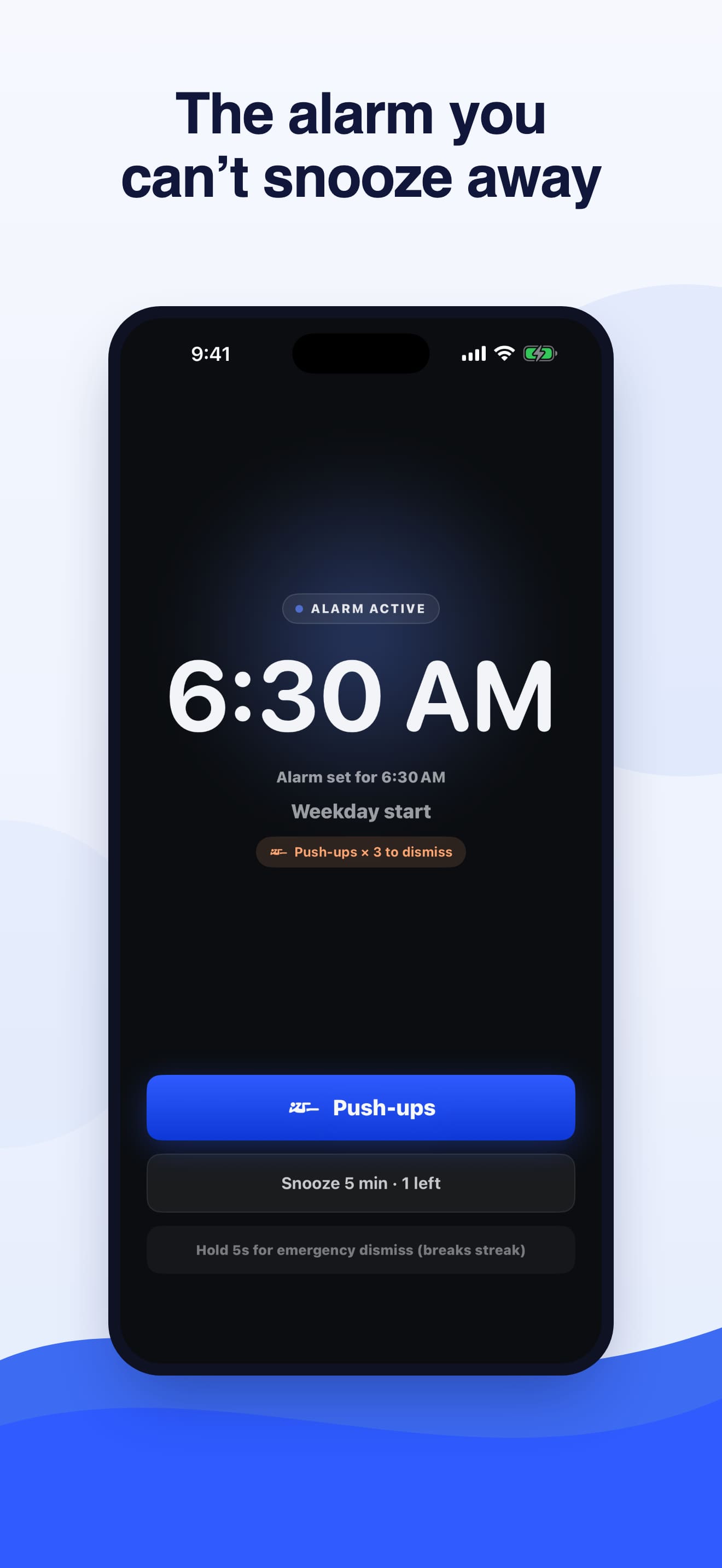
- It rings for real. Built on Apple's AlarmKit, so it rings on Silent and in Focus, even when the app is closed. The ringing screen shows 6:30 AM and the push-ups mission.
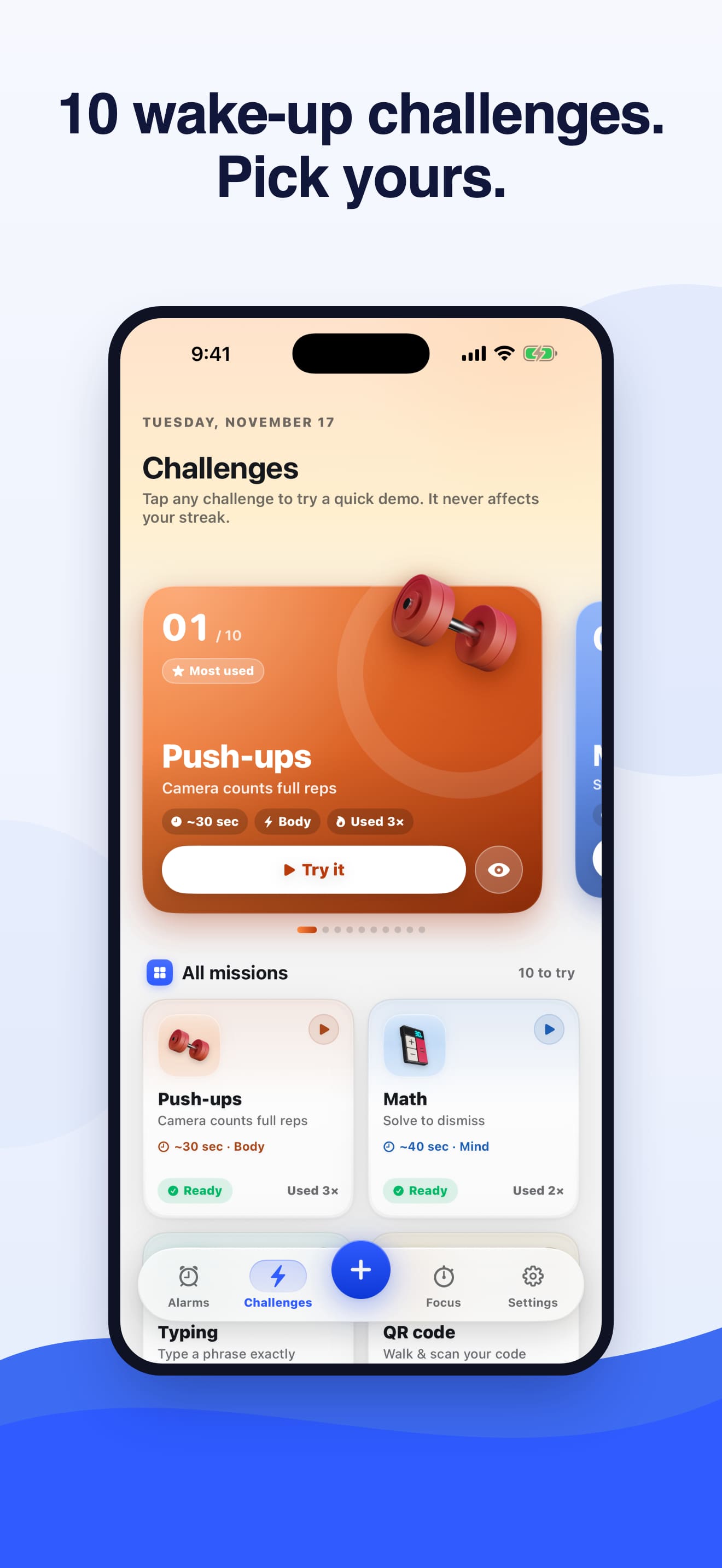
- Pick from 10 challenges: push-ups, squats, math, typing, walk, memory, shake, voice, object find and QR code. Choose a main mission and a backup.
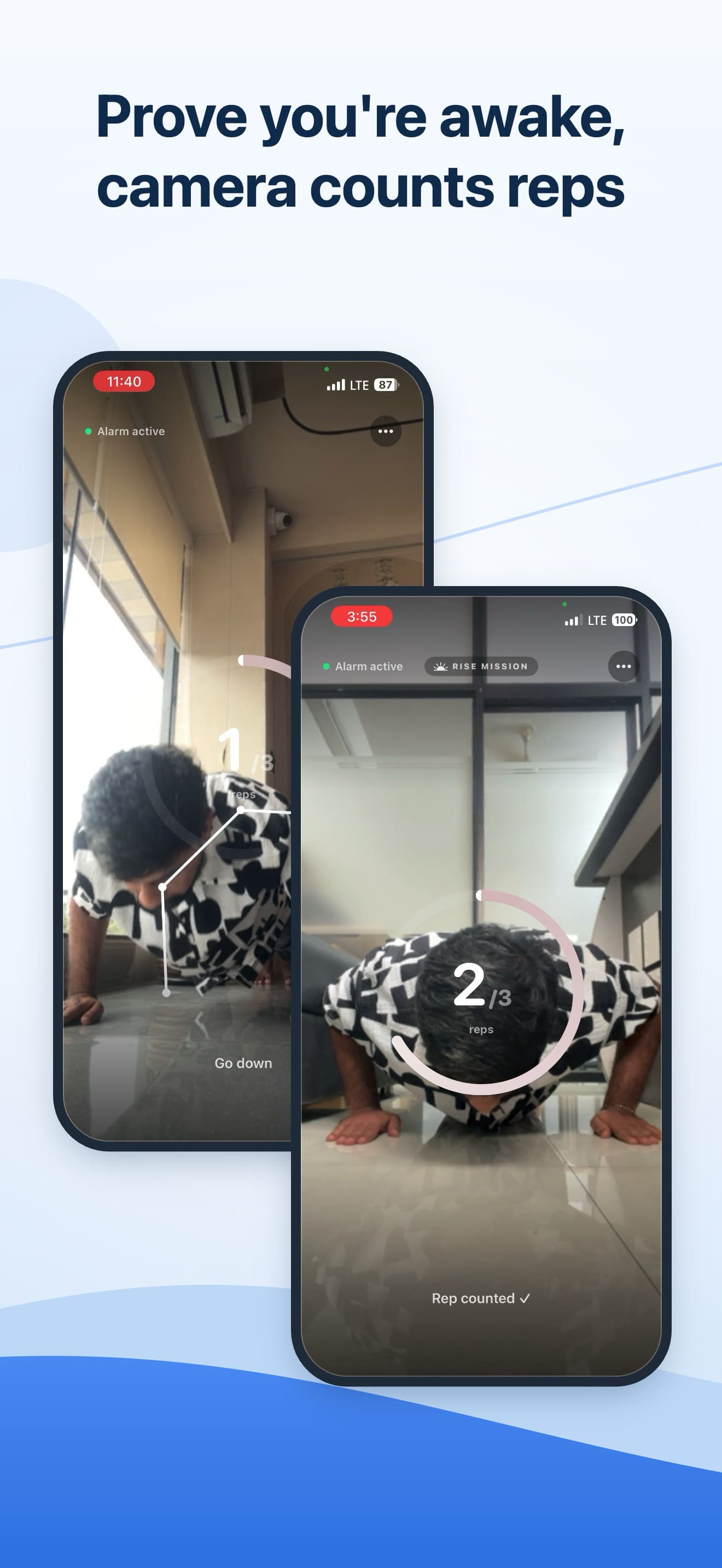
- Prove you're awake. A real recording of the push-ups challenge: the front camera counts each full rep on your iPhone with Apple's Vision framework, and frames are never recorded.
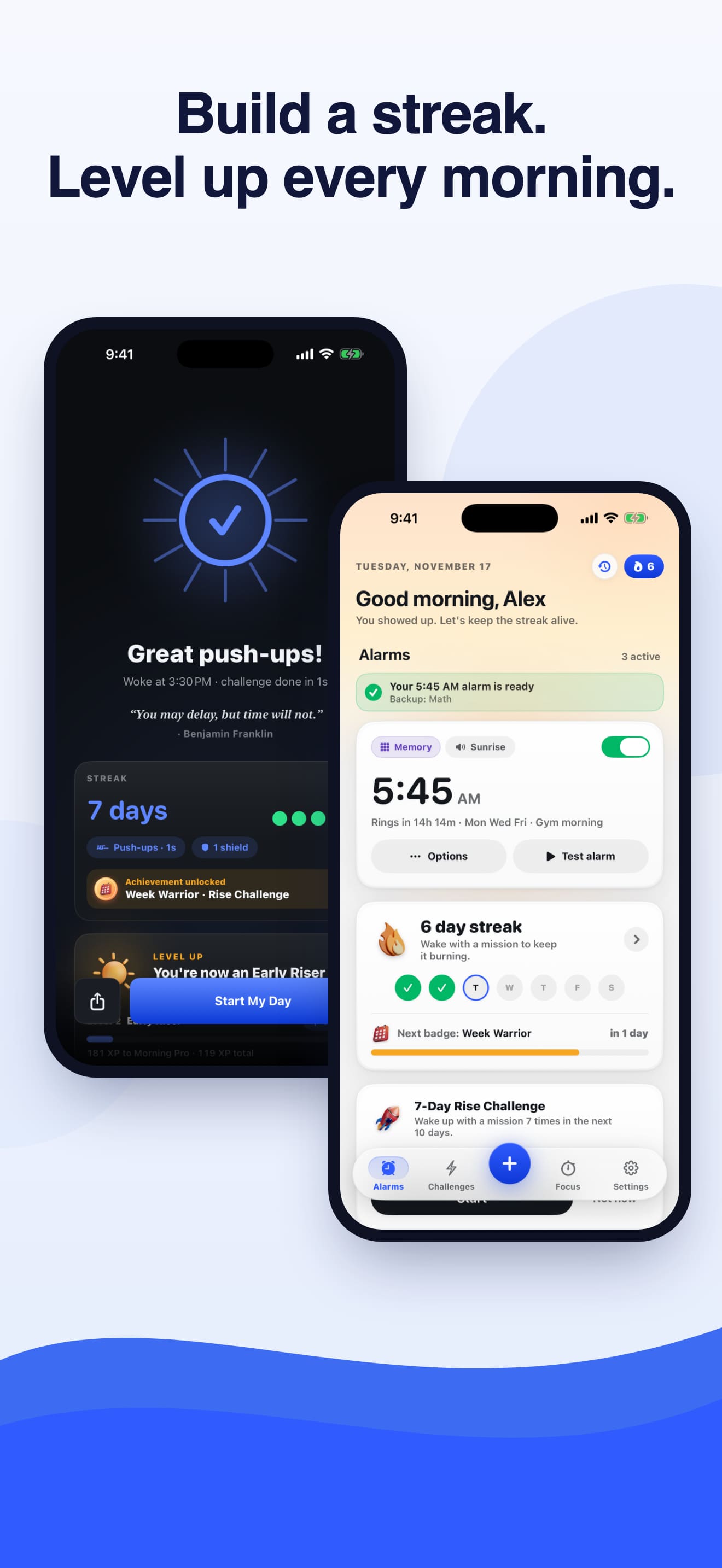
- Level up every morning. The home screen shows a 6 day streak, and the success screen shows a 7 day streak and a level up to Early Riser. You earn 10 XP for every wake-up, 5 more for waking on time without snoozing, and a streak bonus of up to two times.
- Focus beyond the morning: a focus timer and Pomodoro that ring even on Silent.
- End card: Download on the App Store, risemission.app. Alarm Clock: Rise Mission for iPhone, iOS 26 or later.
Rise Mission 1.6 app demo
Screen recording of the real Rise Mission 1.6 app on iPhone: the ringing screen, a wake-up challenge, the success screen with streak and level, the home screen and the focus timer.
What happens in this video
- A screen recording of Rise Mission 1.6 on an iPhone simulator with demo data.
- The alarm rings at 6:30 AM with a push-ups mission and a Push-ups button to start the challenge.
- The Memory challenge shows numbers on a grid, then hides them so you tap them back in order.
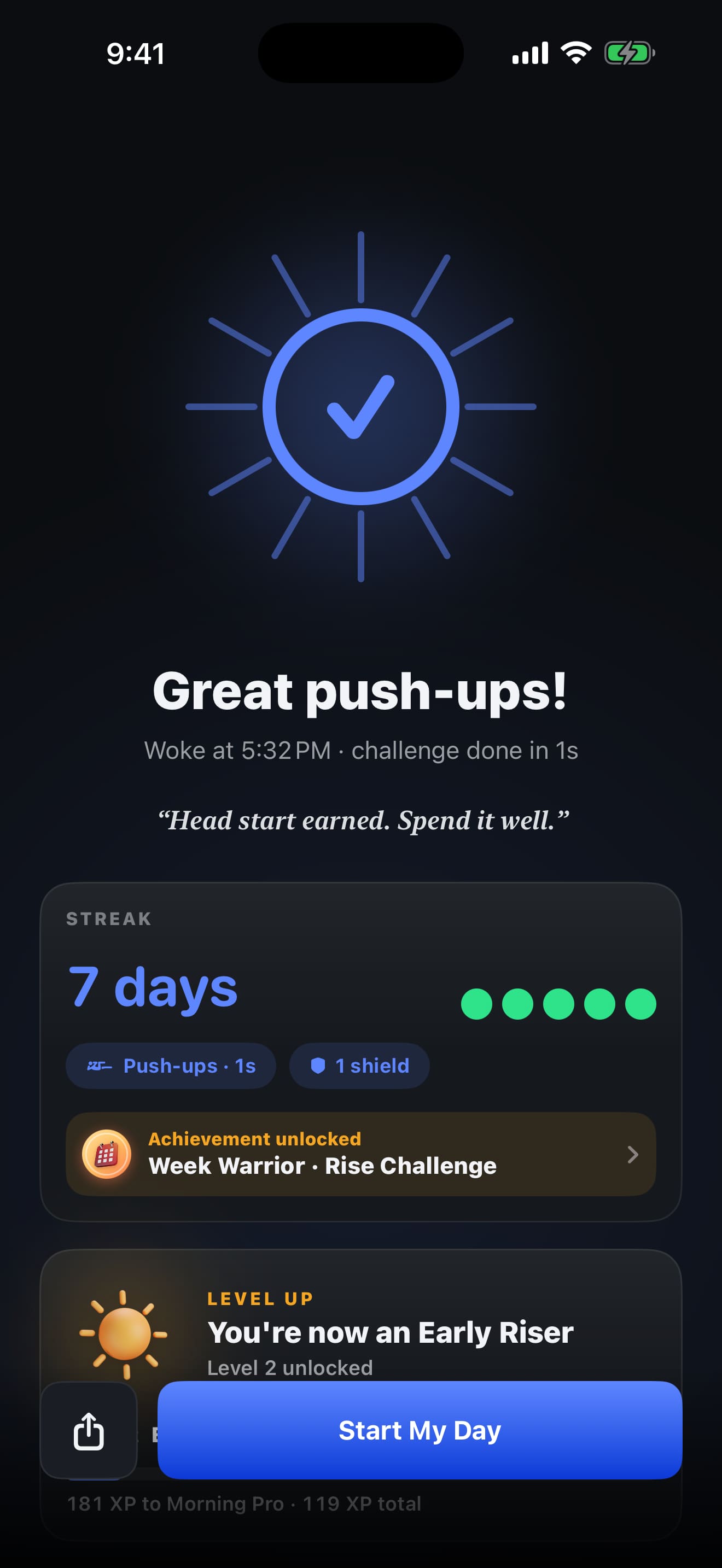
- The success screen confirms the challenge is done, shows the streak, an unlocked achievement and a level up.
- The home screen greets you, shows the next alarm and the current wake-up streak.
- The Focus tab runs a focus timer, then an end card links to the App Store and risemission.app.
Rise Mission 1.6 vertical reel
The same 30-second Rise Mission 1.6 explainer in vertical 9:16 format for phones, Instagram Reels, TikTok and YouTube Shorts.
Download MP4Screenshots
The App Store screenshots for version 1.6. Tap any image to open it full size, or read what's new in 1.6.
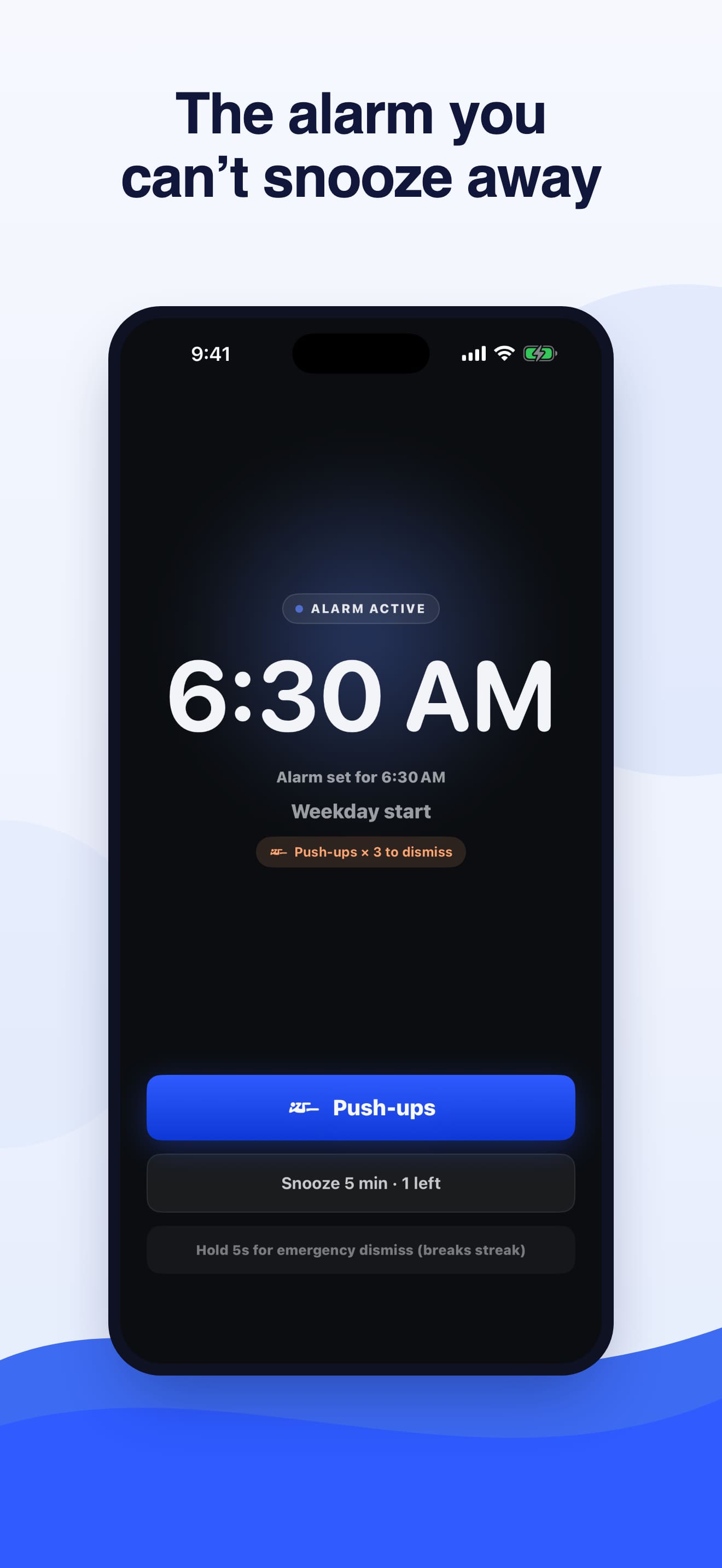
The alarm you can't snooze away
The ringing screen at 6:30 AM. Snooze is limited, and the alarm stops once you finish your wake-up mission.
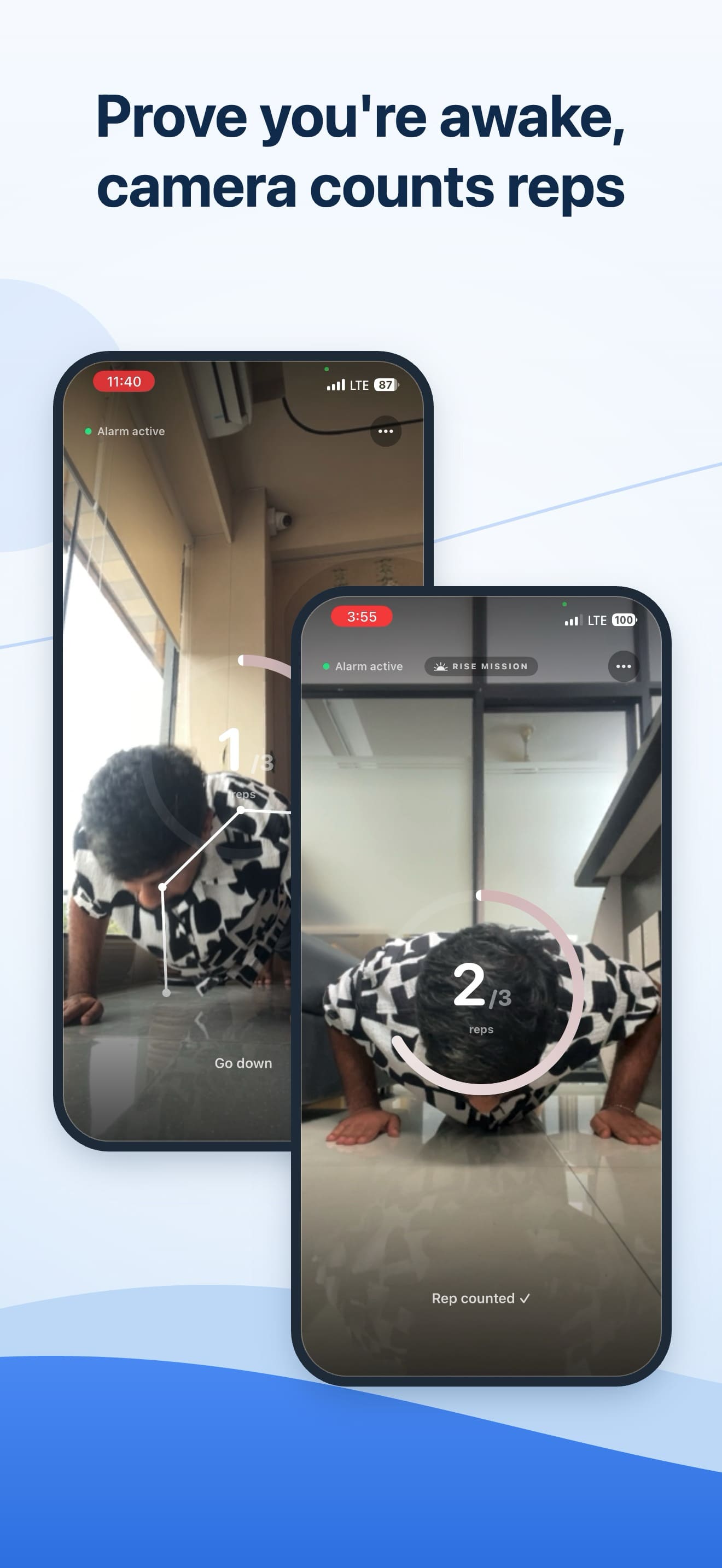
Prove you're awake, camera counts reps
The front camera counts full push-ups with Apple's Vision framework, on your iPhone. Frames are never recorded.
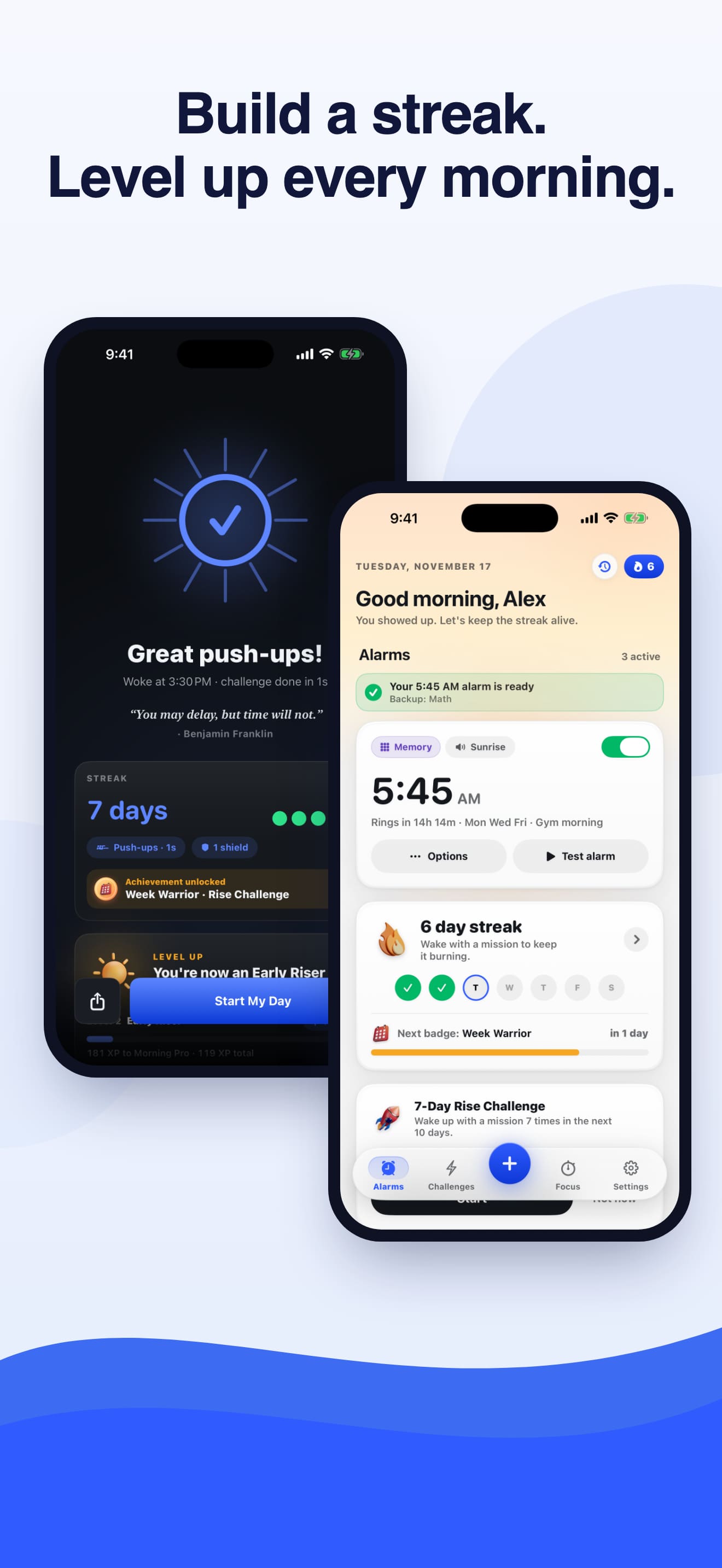
Build a streak, level up every morning
Every wake-up earns XP. The success screen shows your streak and levels, and home keeps your streak in view.
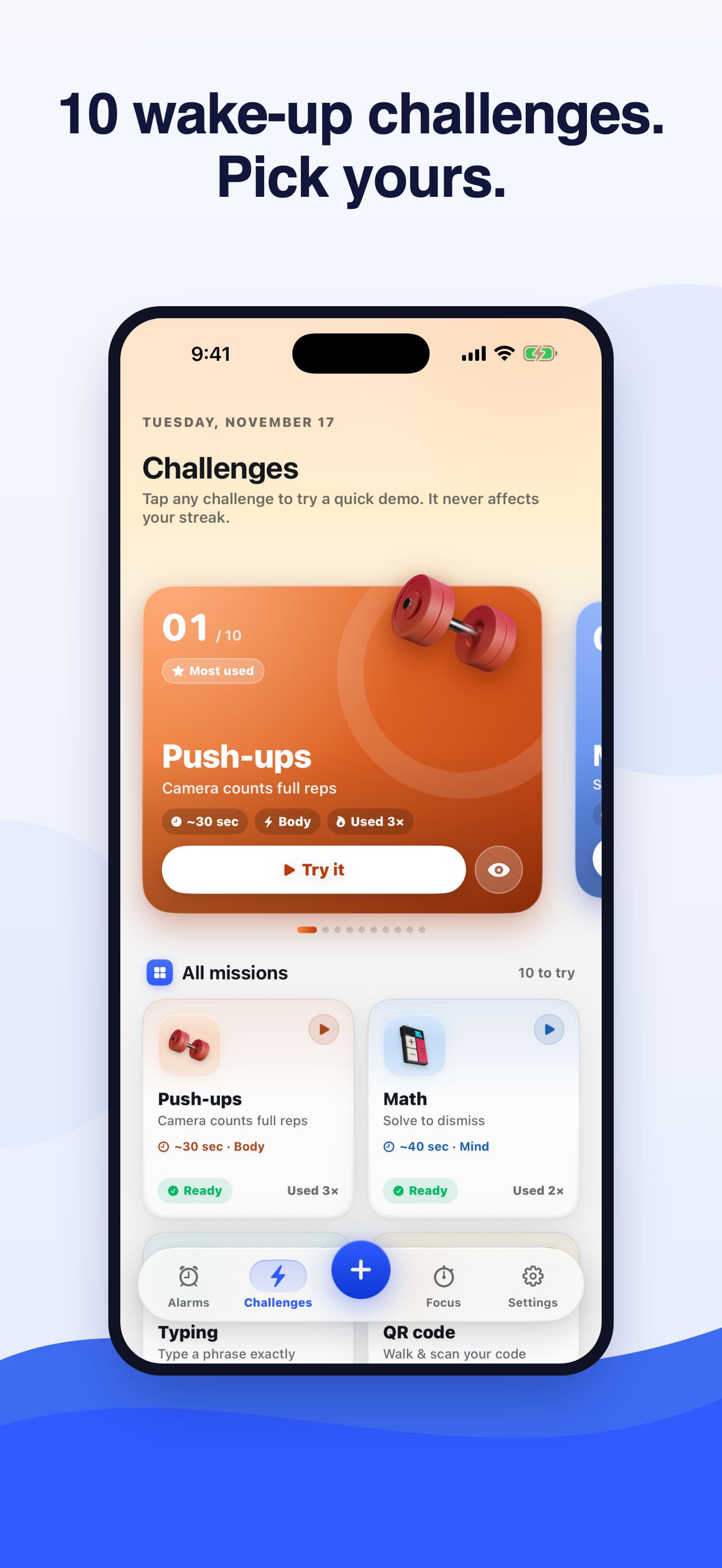
10 wake-up challenges, pick yours
Swipe the challenge carousel or browse all missions, and try any challenge as a quick demo before you rely on it.
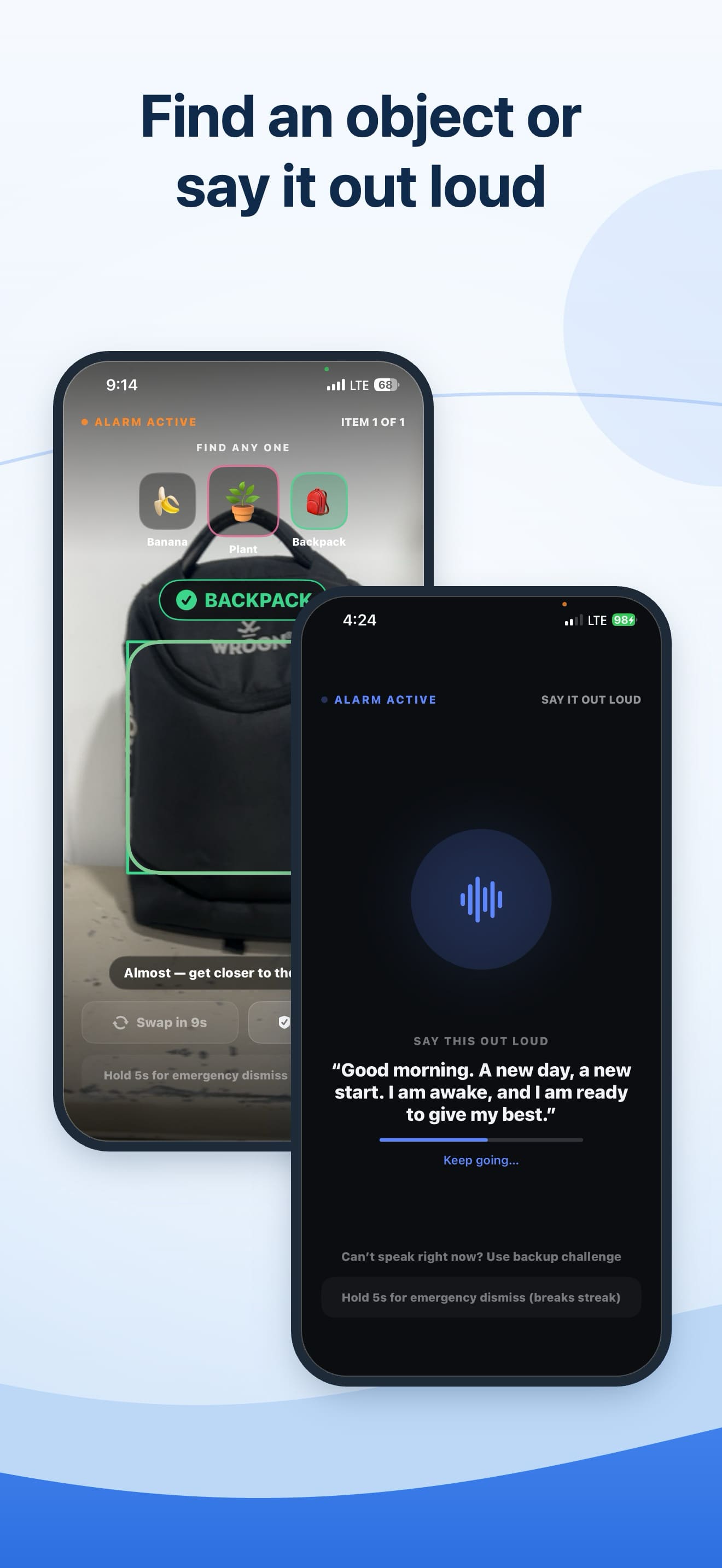
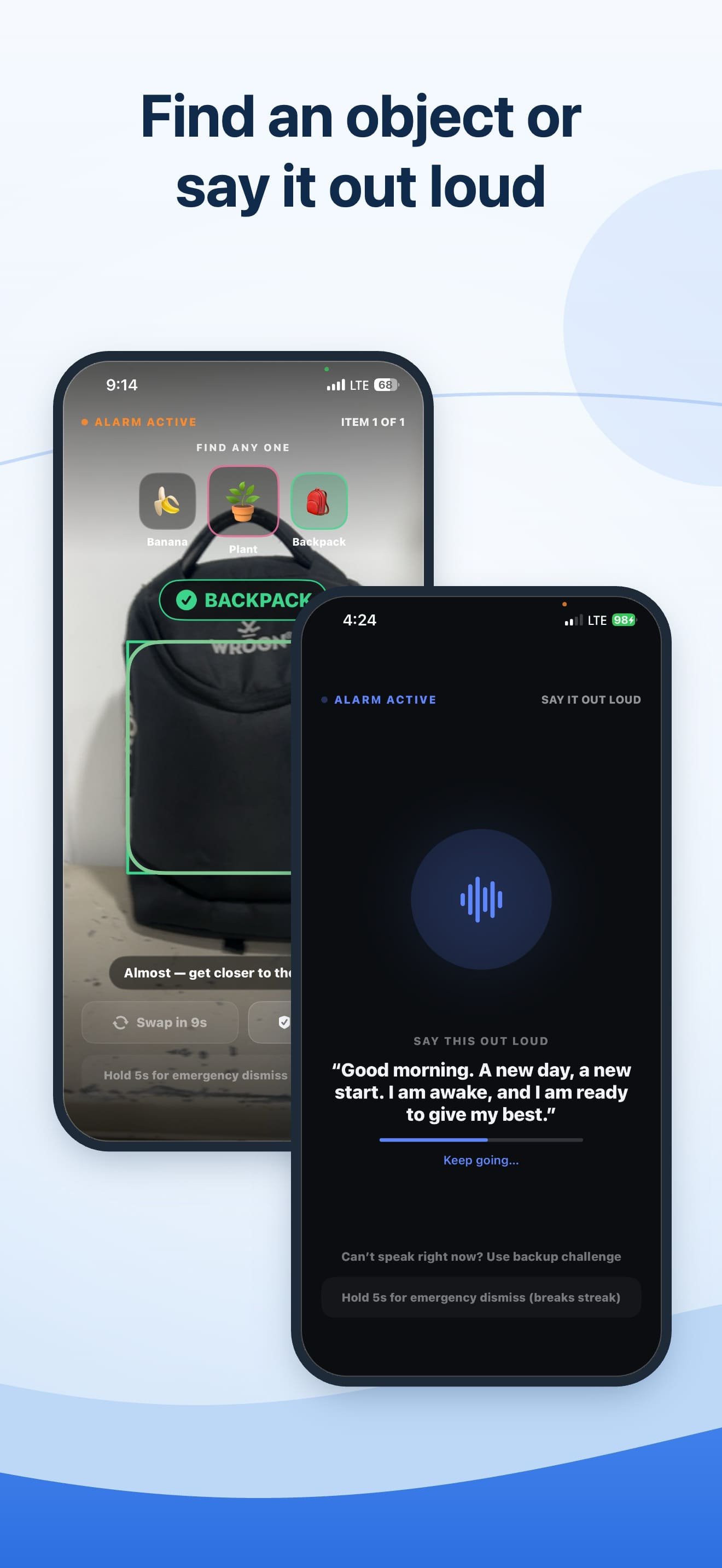
Find an object or say it out loud
Object Find asks you to point the camera at an everyday item; Voice asks you to say a morning affirmation.
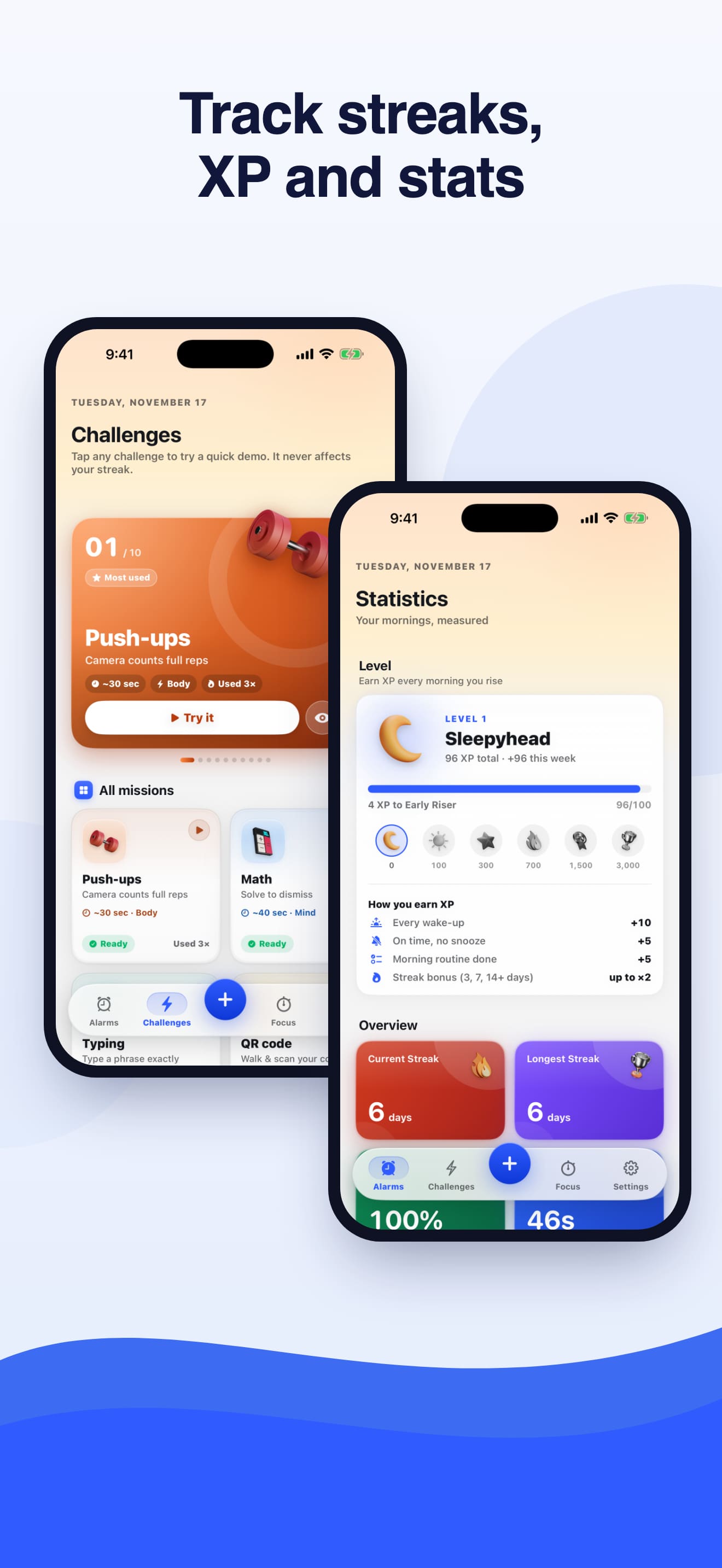
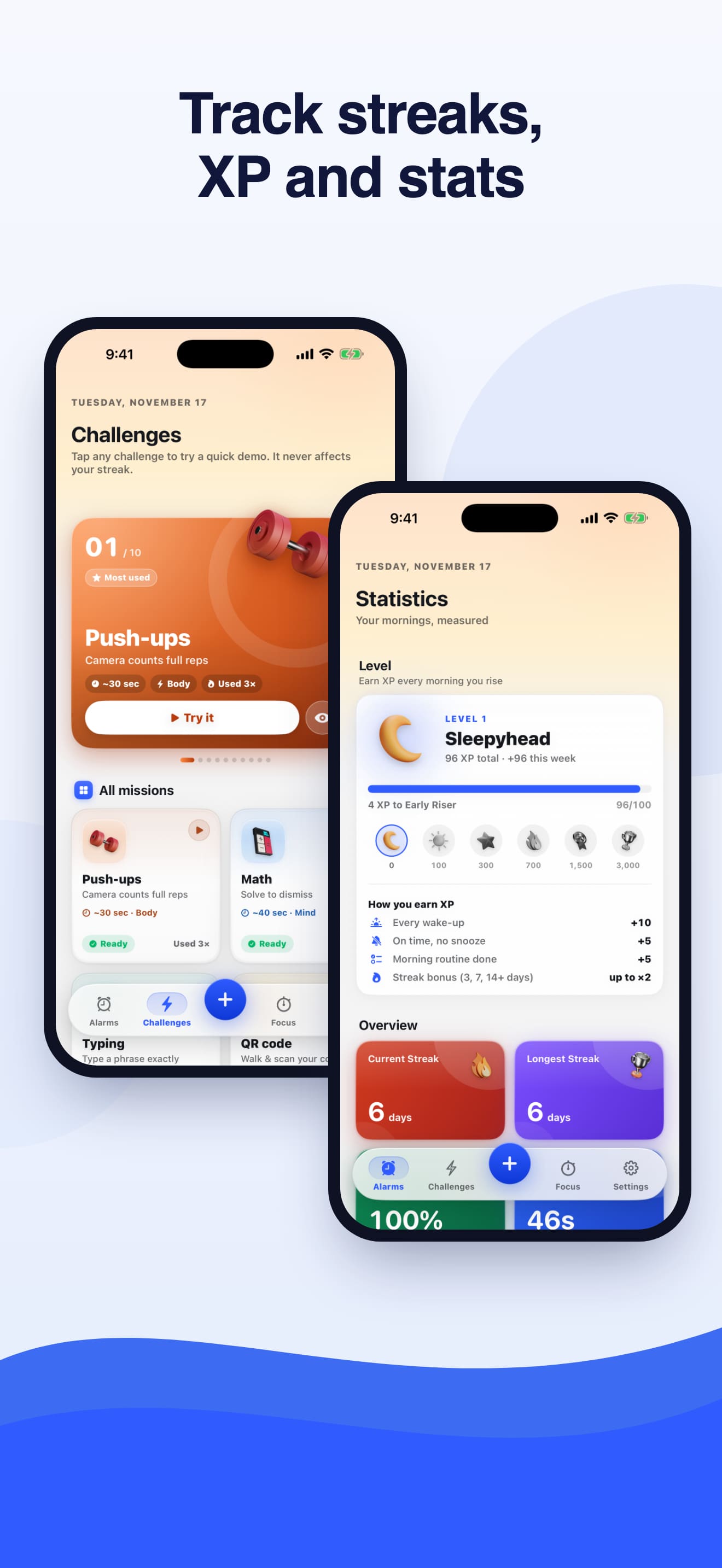
Track streaks, XP and stats
Your level, how you earn XP, current and longest streak, and completion rate in one place.
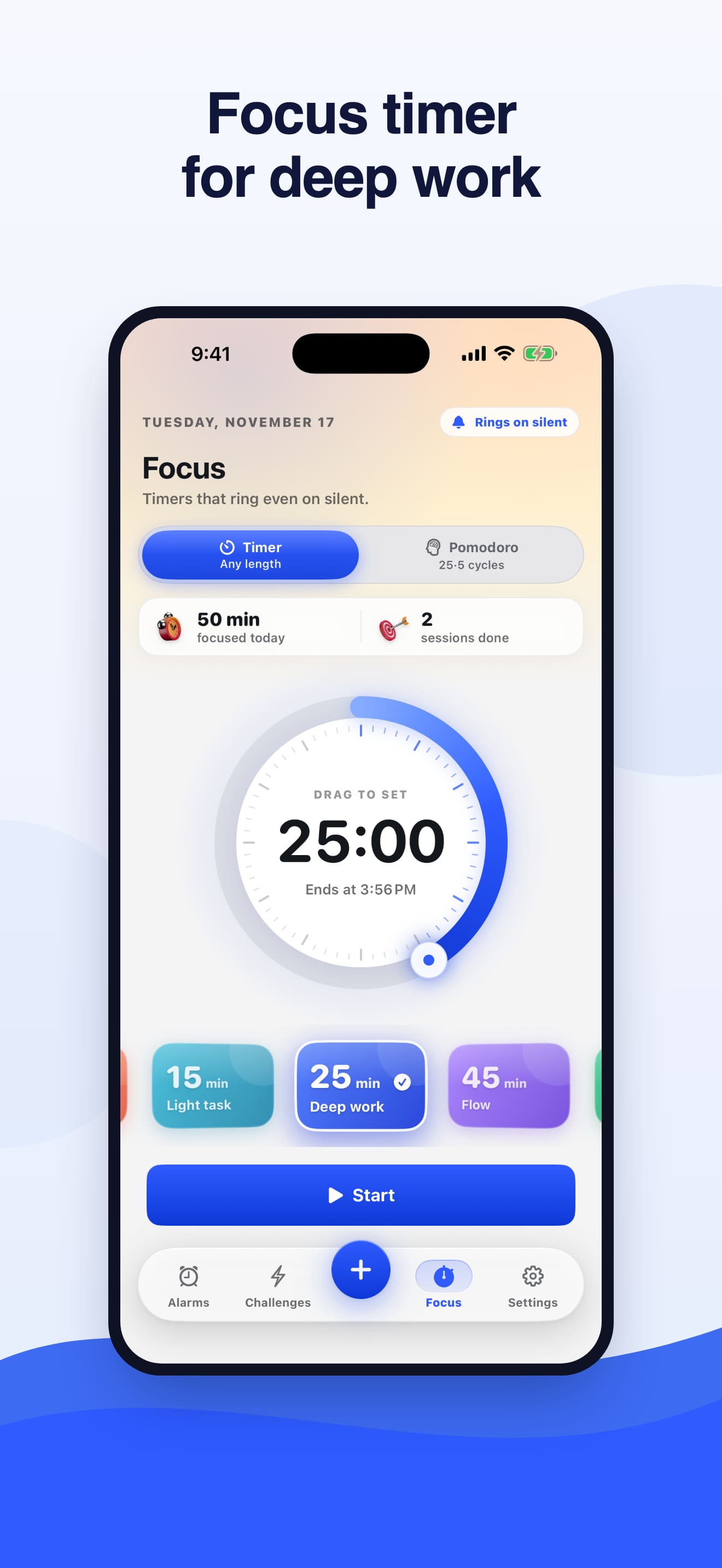
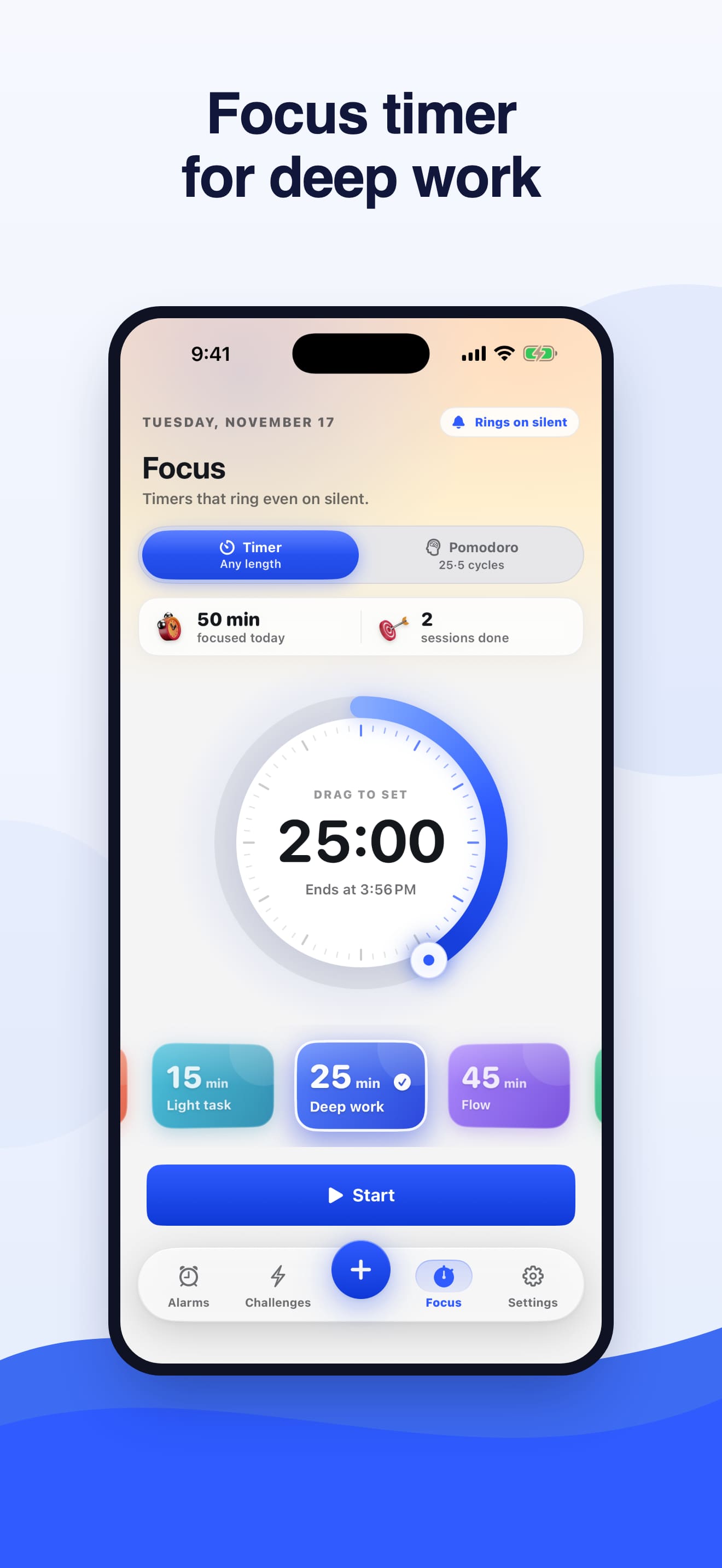
Focus timer for deep work
A focus timer and Pomodoro mode for the work you got up early to do. Timers ring even on Silent.
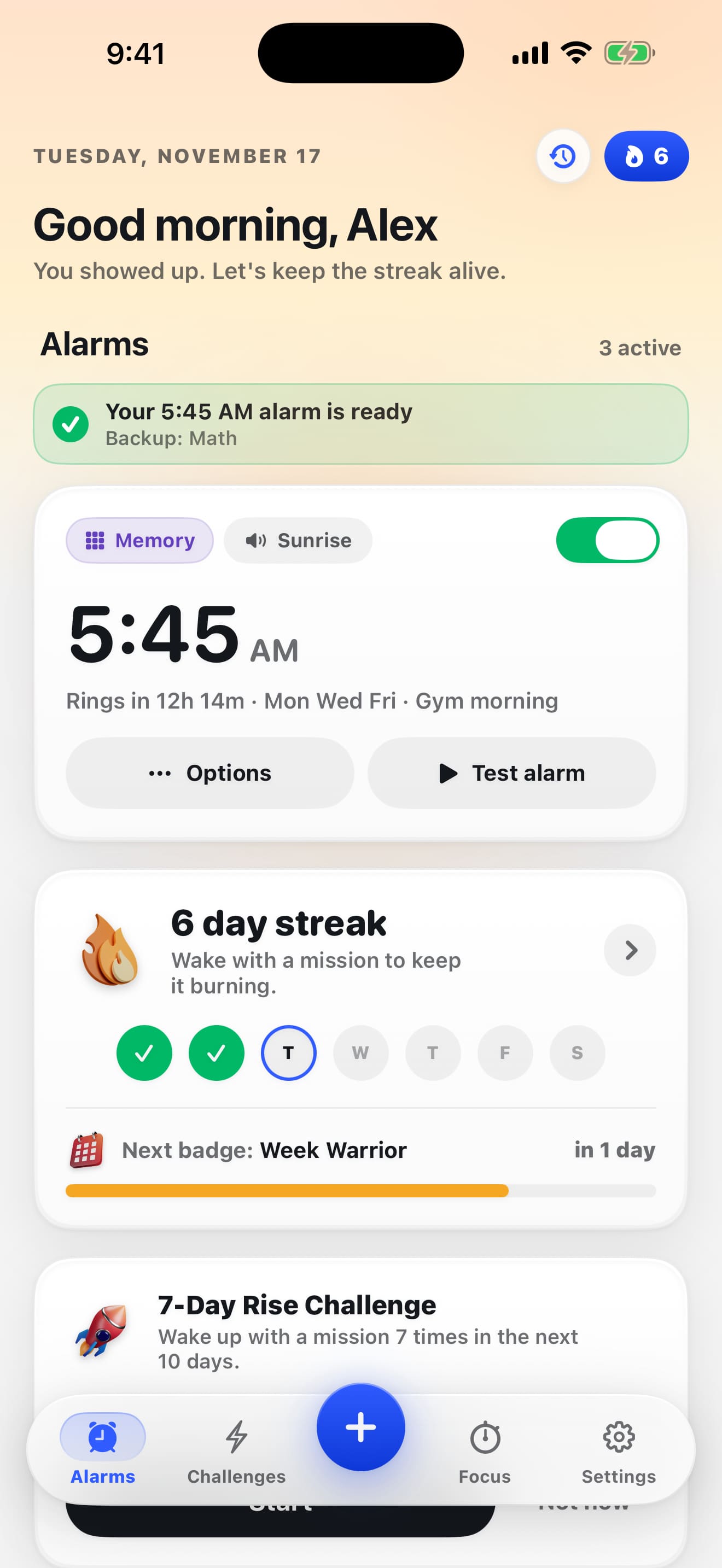
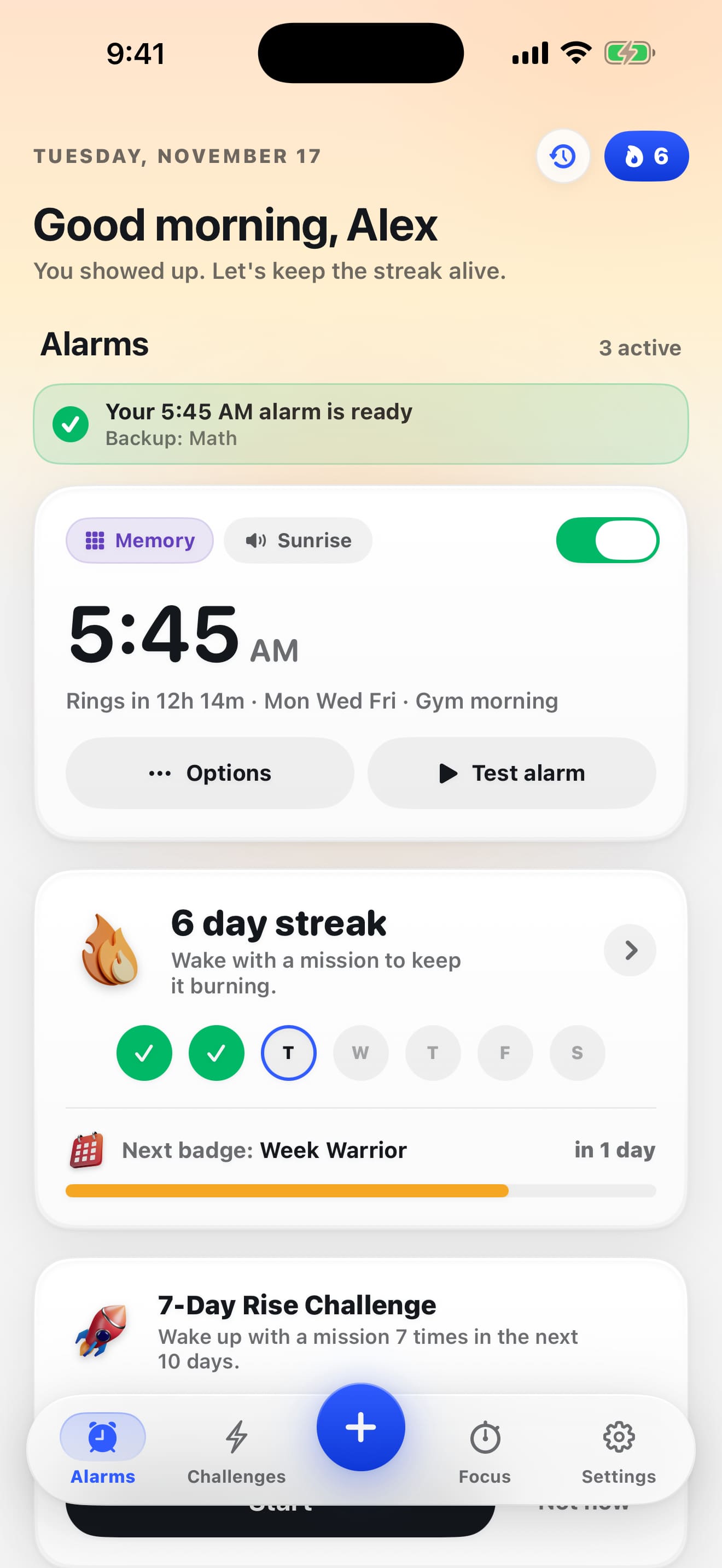
Good morning, your alarms and streak
Home greets you by name, confirms your next alarm is ready and shows this week's wake-up streak.
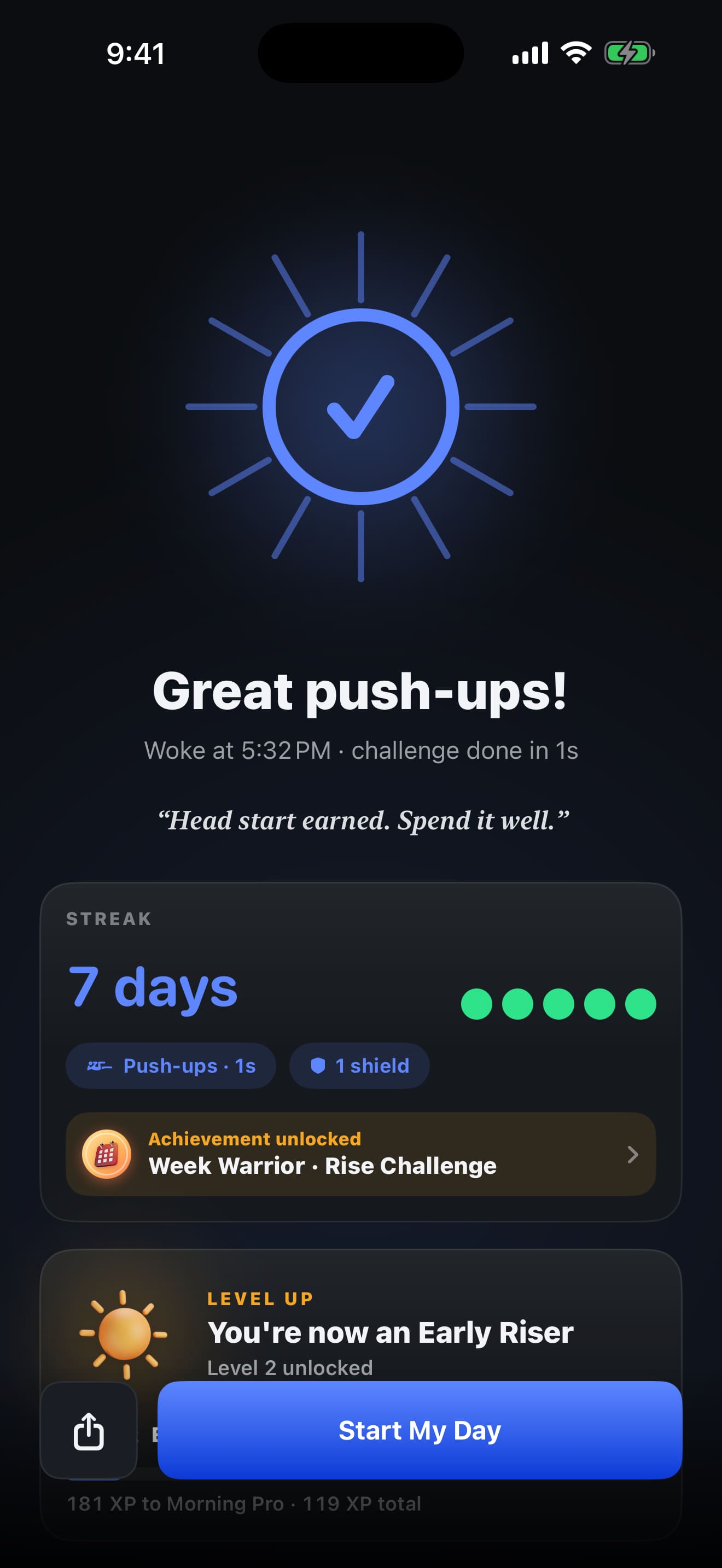
Challenge done: XP, streak and level up
After the challenge, the success screen shows your streak, any achievement you unlocked and your new level.
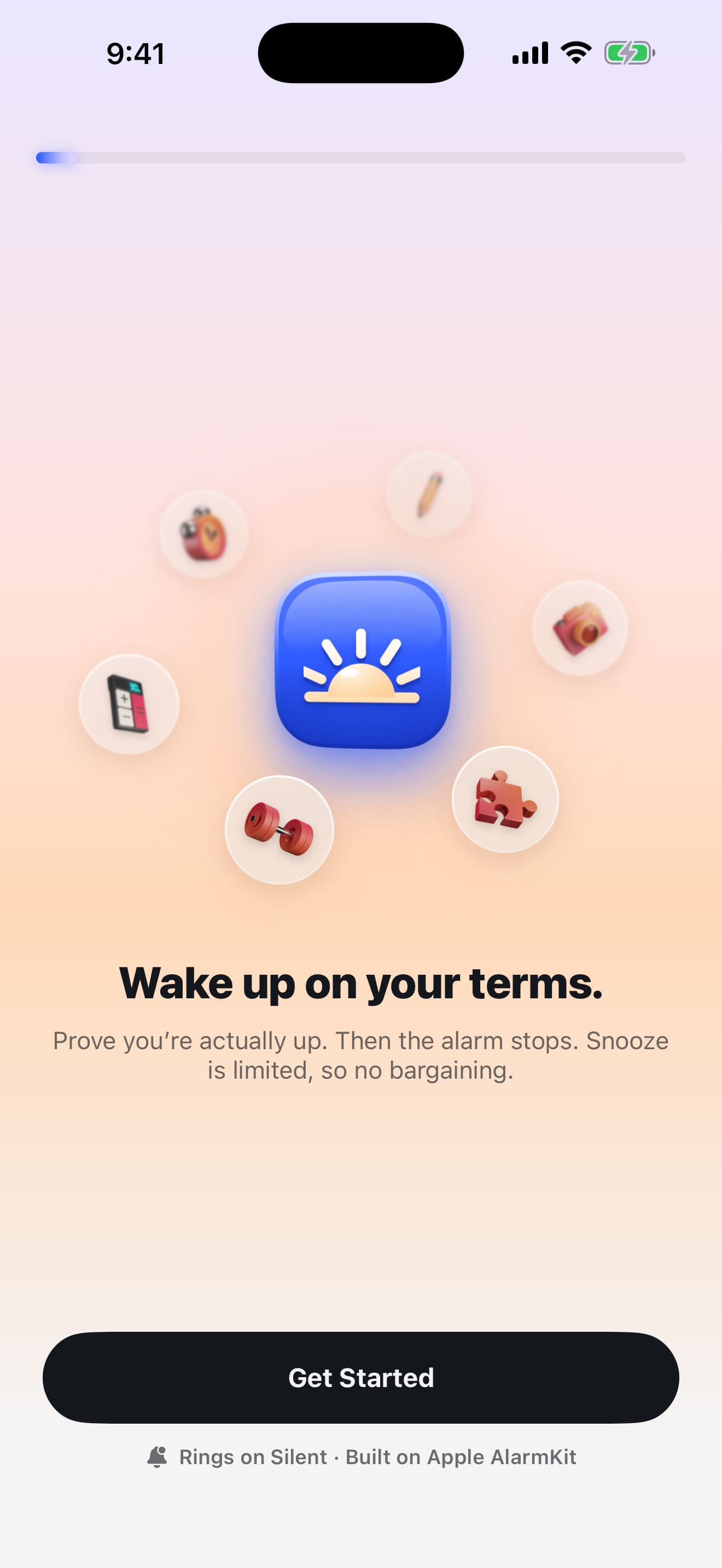
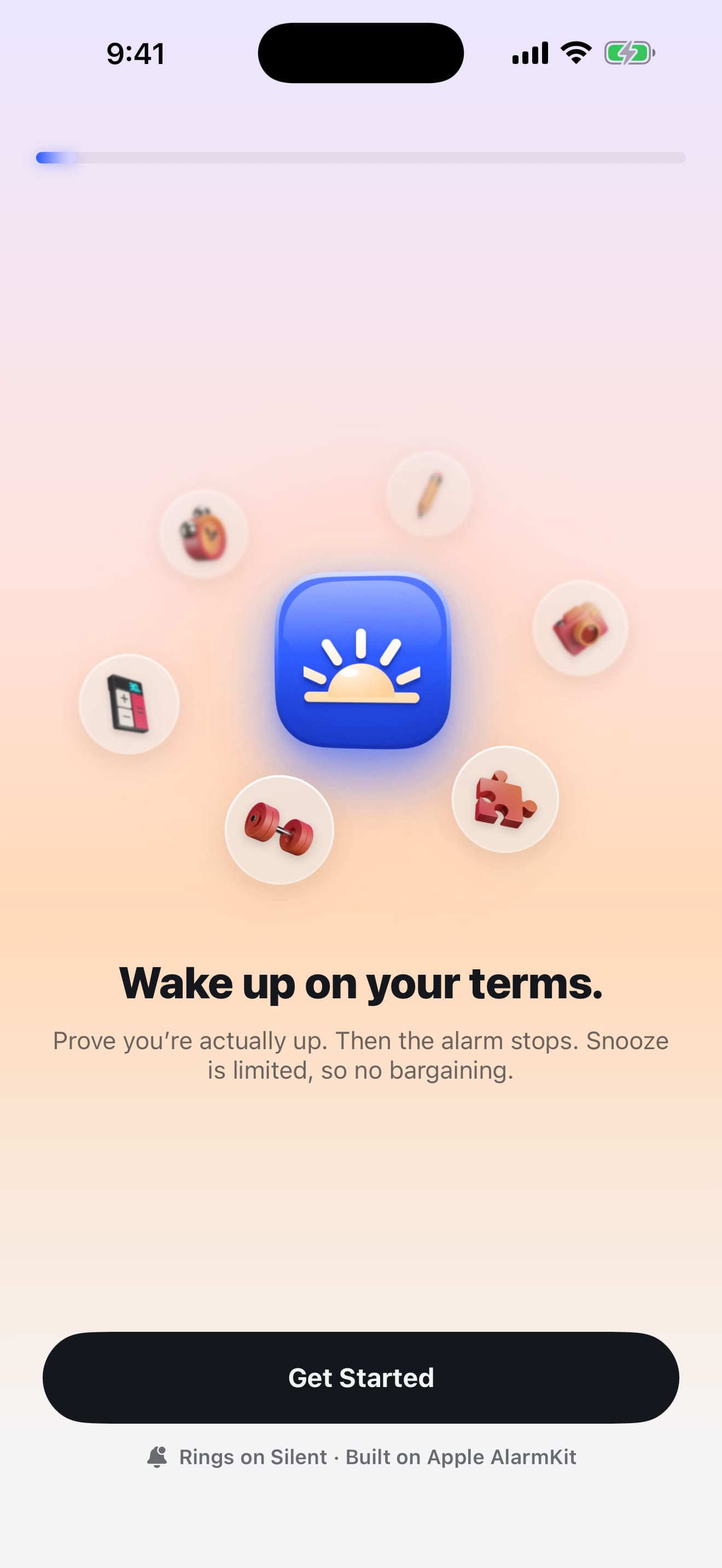
Wake up on your terms
The first screen you see: prove you're actually up, then the alarm stops. Rings on Silent, built on Apple AlarmKit.
Using these images and videos
Writers, reviewers and bloggers may use these screenshots, videos and the app icon to write about Rise Mission, with credit to "Rise Mission" and a link to risemission.app. Please don't edit them in a way that changes what the app does. For other uses, email us from the about page.
Try it tomorrow morning
Set an alarm tonight, run the test alarm, and see if you can snooze it.
Download on theApp Store